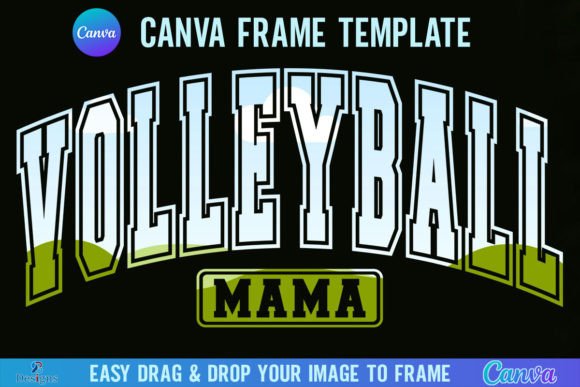
Volleyball Mama Canva Template Frame: Creative Branding Made Easy
When you're building a brand for a sports team, a volleyball club, or a local sports apparel business, consistency is everything. You need your logos, social media posts, and merchandise to look cohesive, but creating custom graphics from scratch every single time is exhausting. That is where the Volleyball Mama Canva Template Frame steps in to save your workflow. It is not just a static image; it is a versatile design asset specifically engineered to streamline your creative process while maintaining high-resolution quality.
Understanding the Digital Asset
First, let’s break down exactly what you are getting, because with digital products, clarity is key to avoiding frustration. When you purchase this package, you will receive a single zip file. You need to unzip this file to access the contents. Inside, you will find a PDF file. This document contains a direct link. Clicking that link grants you access to the actual Canva templates.
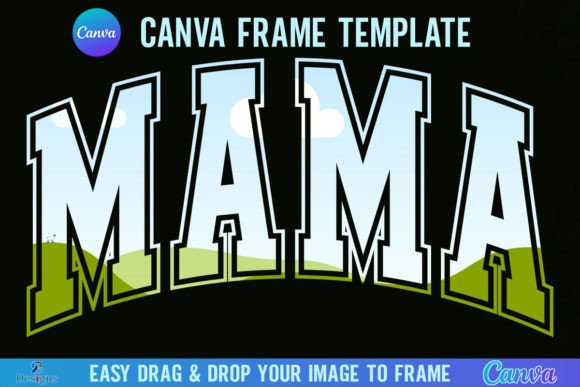
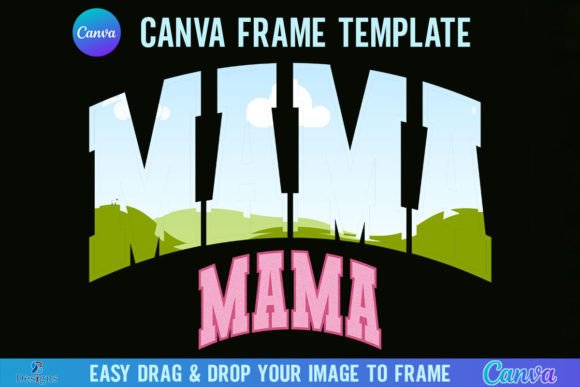
The package includes two distinct versions of the template: Grouped and Ungrouped. The "Grouped" version locks the frame elements together so you don't accidentally move them while placing your background image. The "Ungrouped" version allows for more granular control if you want to adjust individual vector elements. The working size is a generous 4000x4000 pixels, which means these assets are print-ready and perfect for high-DPI displays. The design functionality is built around a simple drag-and-drop mechanic; you can easily drop any PNG or JPG background image into the frame to fill it instantly.
Technical Requirements and Limitations
Before you dive in, there are a few technical realities to consider to ensure this tool fits your setup. First, you will need a FREE Canva account to open and edit the template. Canva is a powerful, browser-based design tool, and having an account allows you to save your progress and access your uploads.
Second, regarding file formats: this is a Canva Frame Template file only. It is strictly digital. No physical frames will be shipped to your door. Furthermore, if you intend to use this for physical cutting machines, be aware that this is not an SVG and is not suitable for use with Cricut or Silhouette cutting machines. It is designed for screen-based design and standard print production. Finally, if your goal is to download the final image with a transparent background, you must have a Canva Pro version or higher. The free version of Canva generally exports with a white background, so keep that in mind for overlay projects.
Visual Personality and Brand Identity
The aesthetic of the Volleyball Mama Canva Template Frame is distinct. It leans into a specific vibe that resonates with sports culture, particularly the energetic and supportive atmosphere of school and club volleyball. The typography likely balances boldness with approachability—often utilizing display font characteristics to catch the eye on a busy social media feed or a crowded gymnasium bulletin board.
When working with this template, think about how the frame influences your brand identity. The visual weight of the frame sets the stage. If the frame incorporates thick lines and athletic styling, it suggests strength and reliability. If it uses softer curves or script font elements, it might lean more toward the "Mama" aspect, emphasizing support, family, and community. This duality is a strength. It allows you to position your brand as either fiercely competitive or warmly supportive, depending on the background image you pair with it.
Strategic Applications for Creators
How do you actually use this in the real world? The applications are vast, especially for those in the digital and print spaces. Here are a few practical scenarios:
- Social Media Graphics: The 4000px size is overkill for Instagram or Facebook, which is perfect. It means your images will remain crisp even after compression. Use the frame to create consistent headers for game day announcements or player spotlights.
- Merchandise Mockups: If you are selling t-shirts or hoodies, use the frame to hold your designs. A premium font style within the frame can elevate a simple logo into something that looks like high-end packaging design or apparel branding.
- Editorial Design: For newsletters or team blogs, the frame acts as a visual anchor. It helps organize content, separating text from imagery while maintaining a cohesive visual hierarchy.
- Event Signage: Because of the high resolution, you can scale this for posters or yard signs. The "Ungrouped" version is particularly useful here, allowing you to reposition elements to fit vertical or horizontal signage constraints.
Enhancing Readability and Visual Hierarchy
One of the most overlooked aspects of using templates is how they affect readability. A good frame shouldn't just look pretty; it should guide the viewer's eye. The Volleyball Mama Canva Template Frame is designed to create a contained focal point. By framing your subject, you reduce visual noise from the background.
When you drop a photo into the frame, pay attention to the font pairing. If the template text uses a bold serif font or a modern typography style, ensure your background image doesn't clash. For example, if the frame text is busy or textured, choose a background image that is relatively simple or blurred. This contrast creates depth and ensures the text remains legible. If the frame uses a handwritten font, it pairs best with candid, unposed photography rather than stiff corporate headshots.
Consider the visual hierarchy. The frame is likely the loudest element. Your background image is the context. If you are adding additional text (like a date or location) inside the frame, use a sans serif font for the secondary information. This creates a clean contrast against the stylized frame, making the information easy to scan quickly.
Practical Design Tips for Best Results
To get the most out of this creative font and frame combination, you need to treat the template as a starting point, not the final product. Here are some actionable tips for designers and entrepreneurs:
- Test Color Overlays: If the black and white frame feels too stark, try placing a semi-transparent color overlay over your photo before putting it in the frame. This can tie the image color palette to your brand identity colors.
- Check the "Ungrouped" Elements: Don't ignore the ungrouped version. You might find that removing one small decorative element makes the layout cleaner for web design purposes.
- Evaluate Commercial Use: Always double-check the license if you are creating commercial font or design assets for resale. For client work (like designing a logo for a volleyball club), this template is a massive time-saver, but ensure the license covers client deliverables.
- Maintain Consistency: If you are running a tournament, use this exact frame for every single post. Consistency builds recognition. When parents scroll through their feed, the consistent frame shape will signal "official update" before they even read the text.
The Verdict on Workflow Integration
Ultimately, the value of the Volleyball Mama Canva Template Frame lies in its ability to bridge the gap between amateur graphics and professional design assets. It solves the "blank canvas" problem. You don't need to be a master of logo design or editorial design to produce something that looks polished and intentional.
By leveraging the drag-and-drop functionality of Canva and the high-resolution output of the template, you can produce social media graphics that stop the scroll. Whether you are a coach managing a team, a parent organizing a fundraiser, or a small business owner selling volleyball gear, this tool simplifies the production side of things. It allows you to focus on the message—celebrating the sport and the athletes—while the design framework handles the professional presentation. It is a practical, no-nonsense solution for a specific, passionate niche.