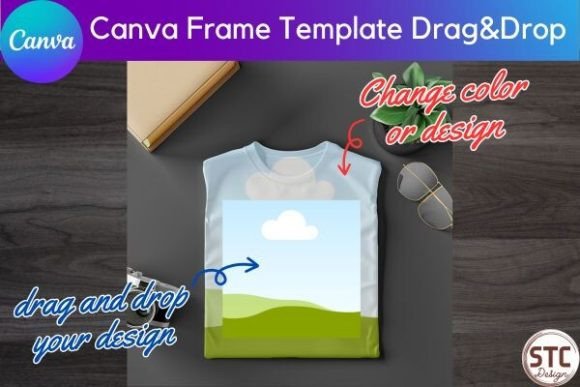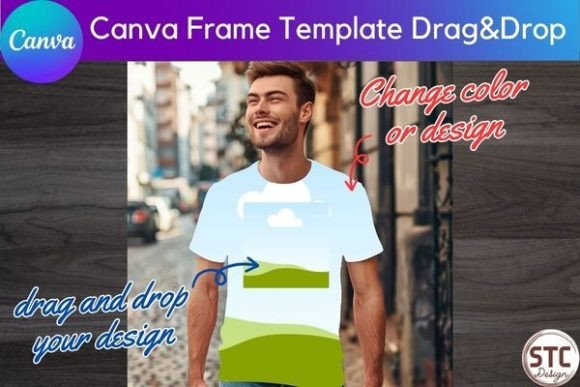
Men's Back of Shirt Mockup Canva Frame for Designers
There's a unique challenge in the life of a t-shirt designer or print-on-demand entrepreneur. You've poured hours into a concept, finalized the colors, and perfected the typography. But how do you show it to the world? A flat graphic on a white background rarely does justice to the texture of fabric, the drape of a sleeve, or how a design truly looks when worn. This is where the right Men's Back of Shirt Mockup Canva Frame becomes more than a convenience—it becomes an essential part of your creative workflow, transforming a digital file into a believable, marketable product.
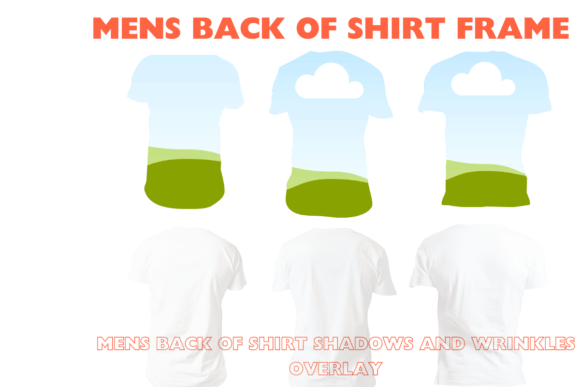
This particular set of Canva frame templates is built for practicality. It offers three distinct, high-resolution views of a men's shirt back. The style is intentionally clean and neutral. Think of a classic crewneck tee, photographed against a simple backdrop. The personality isn't in the shirt's own design, but in its potential to become a blank slate for yours. The appeal lies in its versatility; it's a foundational design asset that can adapt to virtually any brand aesthetic, from minimalist line art to bold, graphic prints.
Where This Mockup Frame Truly Shines
The applications for a reliable shirt mockup extend far beyond a single Etsy listing. For a brand strategist, it's a tool for visualizing brand identity on merchandise. For a content creator, it's the key to generating consistent social media graphics that showcase products in context. Here’s where this specific resource proves its value:
- E-commerce and Marketplace Listings: On platforms like Etsy or Shopify, professional visuals are non-negotiable. Using the Men's Back of Shirt Mockup Canva Frame allows you to present your design on a realistic garment, helping customers visualize the final product. This can directly influence click-through rates and reduce hesitation at checkout.
- Client Presentations and Pitches: When pitching a new apparel line or a custom design to a client, showing them a polished mockup is infinitely more powerful than sending a raw PNG file. It demonstrates professionalism and helps the client see your vision immediately.
- Social Media Marketing: Create a cohesive feed on Instagram or Pinterest by using the same mockup frame across multiple posts. You can showcase different color variations of a single design or present a collection, building a recognizable visual language for your brand.
- Internal Design Review: Before finalizing a design for production, seeing it on a mockup can highlight issues with scale, placement, or color contrast that aren't obvious on a digital artboard. It’s a practical final step in your design process.
The Practical Edge: Customization and Realism
What sets a good mockup apart from a great one is the level of control it offers. This Canva frame template isn't just a static image; it's a customizable system. The drag-and-drop functionality in Canva means you don't need advanced software skills. You can place your artwork directly onto the shirt template and adjust its size and position with intuitive controls.
However, the real craft lies in the details. The inclusion of separate wrinkle and shadow overlays is a significant feature. These overlays allow you to add subtle depth and texture, making the shirt look less like a flat graphic and more like a physical object. You can adjust the intensity or remove them entirely for a cleaner, more illustrative style. This control over realism is crucial for aligning the mockup with your specific project's needs, whether it's for a gritty, urban brand or a clean, boutique aesthetic.
Integrating Mockups into Your Design Ecosystem
Think of this mockup not as an isolated tool, but as part of your broader design assets library. Its effectiveness multiplies when paired with other elements. For instance, you might use a sans serif font for your brand's logo and then use that same typeface within the design placed on the shirt mockup, creating immediate visual consistency. The clean canvas of the shirt allows your typography and artwork to take center stage, making it an excellent companion for testing how a display font or script font reads in a real-world application.
For those building a brand, consistency is key. Using the same style of mockup across your product line, website, and marketing materials builds a cohesive and professional image. This Men's Back of Shirt Mockup Canva Frame provides that consistent foundation. Its high-resolution 300 DPI output ensures that whether the image is used in a digital ad or printed in a lookbook, the quality remains sharp and professional.
A Final Note on Workflow and Licensing
Before diving in, always review the licensing of any digital asset. This particular template is designed for commercial use, allowing you to use the final mockup images in your listings, advertisements, and client work. It's a commercial font for your visual presentations, in a sense. When choosing a mockup, consider the garment style—it should align with your target product. This men's crewneck is a universal starting point, but always ensure the mockup's cut and fit match what you'll actually be selling.
In the end, the goal is to work smarter. By incorporating a versatile and easy-to-use tool like this Canva frame, you streamline the process of turning a concept into a compelling visual story. It bridges the gap between your digital design and the physical product your customer will hold, making it an indispensable asset for anyone serious about presenting their apparel designs with clarity and impact.