Design Unique Sublimation Letters with Canva Frames
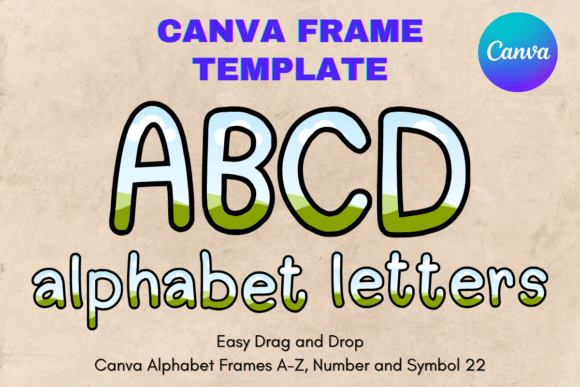
If you have ever struggled with trying to align text perfectly onto a curved surface or fit a specific design into a rigid shape, you know the frustration of standard graphic design tools. Typography is usually treated as flat text on a page, but when you move into the world of physical products—like sublimation, vinyl cutting, or print-on-demand—text needs to behave more like an image. It needs to be malleable, scalable, and perfectly contained. This is exactly where the Canva Letters Frame Alphabet Template_22 changes the game. It transforms standard letters into editable containers, allowing you to fill them with textures, photos, and patterns using Canva’s intuitive drag-and-drop interface.
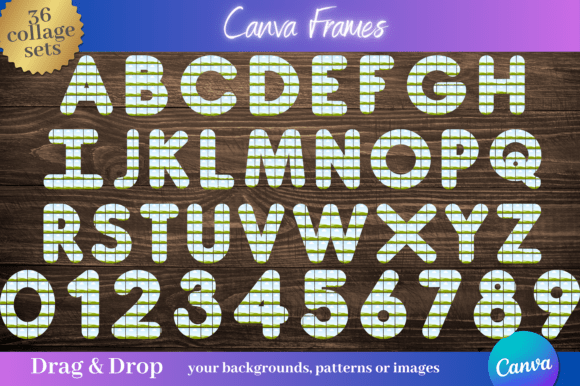
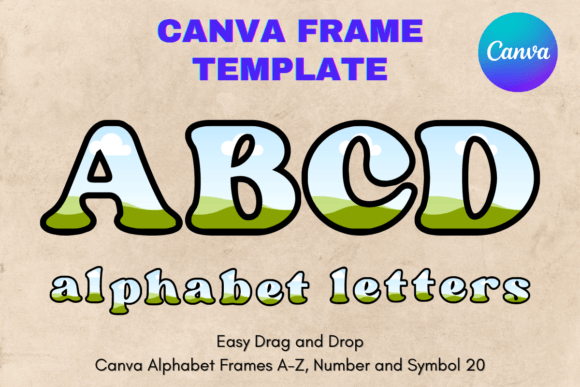
It is important to clarify right away what this asset is and isn't. This is not a traditional font file like a TTF, OTF, PNG, or SVG. You cannot install it on your computer's operating system. Instead, you will receive a PDF file containing a link to a custom-made Canva template. This template consists of 26 individual frames, each shaped like a letter of the alphabet. Because this is an editable Canva frame template, it offers a level of flexibility that static vector files simply cannot match, especially for those who want to create complex visual effects without learning advanced software like Adobe Illustrator.
Visual Personality and Style
The visual style of the Canva Letters Frame Alphabet Template_22 is designed to be bold and impactful. These are not delicate, whisper-thin serifs; they are substantial display characters built to showcase imagery. The "personality" of the font is versatile because the frame acts as a window. If you fill the frames with floral patterns, the letters take on a botanical, organic vibe. If you fill them with geometric neon gradients, the letters instantly feel modern and tech-forward.
The stroke weight is generally consistent and heavy, ensuring that whatever image you place inside remains visible even when the letters are scaled down. The construction of the frames is clean, with smooth nodes that allow for significant resizing. Whether you are working on a small mug design or a large poster, the vector-like nature of these Canva frames ensures that the edges remain crisp. This is crucial for professional logo design and packaging design, where pixelation is an immediate sign of poor quality.
Practical Applications: From Sublimation to Branding
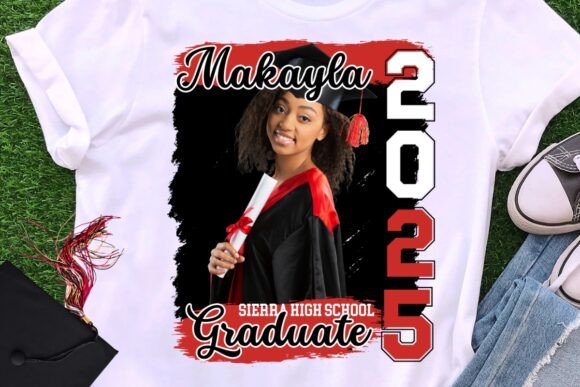
The primary use case for this template is sublimation and vinyl crafting. When creating custom drinkware, apparel, or signage, standard text tools often fail to provide the "knockout" or "fill" effect efficiently. With the Canva Letters Frame Alphabet Template_22, you simply drag your chosen digital paper or photo into the frame, and Canva automatically clips it to the letter shape. This is a massive time-saver for Etsy sellers and small business owners creating personalized gifts.
However, the utility extends far beyond physical products. In digital design, these frames are incredibly effective for:
- Social Media Graphics: Create eye-catching headlines for Instagram stories or Pinterest pins. A letter filled with a video clip or a busy texture stops the scroll much faster than plain text.
- Editorial Design: Use oversized, image-filled drop caps at the beginning of a blog post or magazine article to establish a high-end, premium font aesthetic.
- Event Invitations: For weddings or parties, spelling out a name where the letters are filled with a photo of the couple or a thematic texture adds a deeply personal touch that standard script fonts cannot achieve.
- Brand Identity: For a brand that relies on visual richness—such as a florist, a bakery, or a travel agency—using these frames to create a monogram or initial mark can reinforce the brand's core visual theme.
Design Strategy: Readability and Hierarchy
When working with the Canva Letters Frame Alphabet Template_22, you are essentially merging typography with photography. This requires a shift in how you approach visual hierarchy. Because the letters are filled with complex imagery, they become the "heavy" element on the page. You should pair them with clean, neutral typography—such as a sans serif font for body copy—to avoid visual chaos.
Readability is the most critical factor. If you fill the frames with a low-contrast image (like a light grey texture on a white background), the letters may disappear. To maintain legibility, choose high-contrast images or add a slight stroke or drop shadow within Canva to separate the letter from the background. This technique is standard in web design and social media graphics, where text often overlaps with dynamic backgrounds.
Consider the "kerning" or spacing between your frames. Since these are individual elements, you have total control over how close they sit together. For a cohesive wordmark, bring the letters closer together so they touch or overlap slightly, creating a unified silhouette. If they are spaced too far apart, the eye may struggle to read them as a single word, breaking the flow of the design.
Technical Workflow and Licensing
One of the strongest advantages of this template is the workflow. You do not need to be a graphic designer to achieve professional results. The process is straightforward: open the link provided in the PDF, copy the letters you need to your design, and drag your assets into the frames. The "transparent layer" feature mentioned in the product description is vital here; it ensures that when you download your final design (as a PNG with transparency), only the letter shape is visible, with no background box.
When evaluating if this asset fits your project, consider the scale. The default paper size is 8.5x11 inch, but because these are vector-based frames within Canva, you can size them up or down to suit your needs. This is particularly useful for print design, where resolution requirements are strict. Unlike a rasterized PNG which becomes blurry when enlarged, these frames maintain their integrity.
For small business owners concerned about usage rights: because this is a tool for creating your own designs, the commercial aspect is generally permissive for the end product. However, you cannot resell the template itself. Always review the specific licensing terms provided with the download to ensure your intended use—whether for physical merchandise or digital downloads—aligns with the creator's policy.
Conclusion
The Canva Letters Frame Alphabet Template_22 bridges the gap between complex graphic editing and accessible design tools. It empowers creators to produce custom sublimation designs, unique branding assets, and engaging social media content without the steep learning curve of professional software. By treating letters as frames rather than just characters, you unlock a new dimension of creativity that is perfect for the modern, visual-first market.